
I’ve been a live looper for years — long before the Sheeran Looper X existed. I started on the Boss RC20, moved to do RC300 then to Headrush Looperboard, gigged it at hundreds of weddings, learned its quirks inside out, and built my entire performance style around multi-track looping. So when the Looper X was announced, I was one of the first to make the switch. I’ve been using it since day one, and I’m now in regular contact with the design and development team behind the product — providing feedback, reporting bugs, and helping shape future updates based on what I need from the unit at real-world gigs week in, week out.
That relationship with the team matters because the Looper X isn’t just a piece of gear I bought off a shelf — it’s a tool I’ve helped refine. When you’re respected in the looping community and actively feeding back to the people building the hardware, the result is a setup that’s been tested and proven at hundreds of live events, not just in a studio or bedroom.
This post covers my complete journey with the Looper X: getting started, how I’ve configured it, troubleshooting I’ve done along the way, and what it sounds like in action. If you want to see the full rig that surrounds it — the guitar, mixer, wireless systems, pedalboard build and lighting — check out my complete rig rundown and pedalboard build post.
From Looperboard to Looper X
I came to the Looper X from the Headrush Looperboard — a unit I used extensively at weddings and events for years. When Headrush announced the Looper X in collaboration with Ed Sheeran’s team, I knew immediately it was going to be a step forward. The Looperboard was powerful but had its limitations, and the Looper X addressed most of them: better build quality, a more intuitive touchscreen workflow, improved audio quality, and a design philosophy that clearly came from someone who actually loops on stage.
Making the switch wasn’t as simple as just swapping one unit for another, though. I’d built up a library of loops on the Looperboard, so one of the first things I did was create a conversion tool to migrate Looperboard loops across to the Looper X format. That tool is still available for free on my site if you’re making the same switch. Here’s a quick walkthrough of how it works:
Getting Started with the Looper X
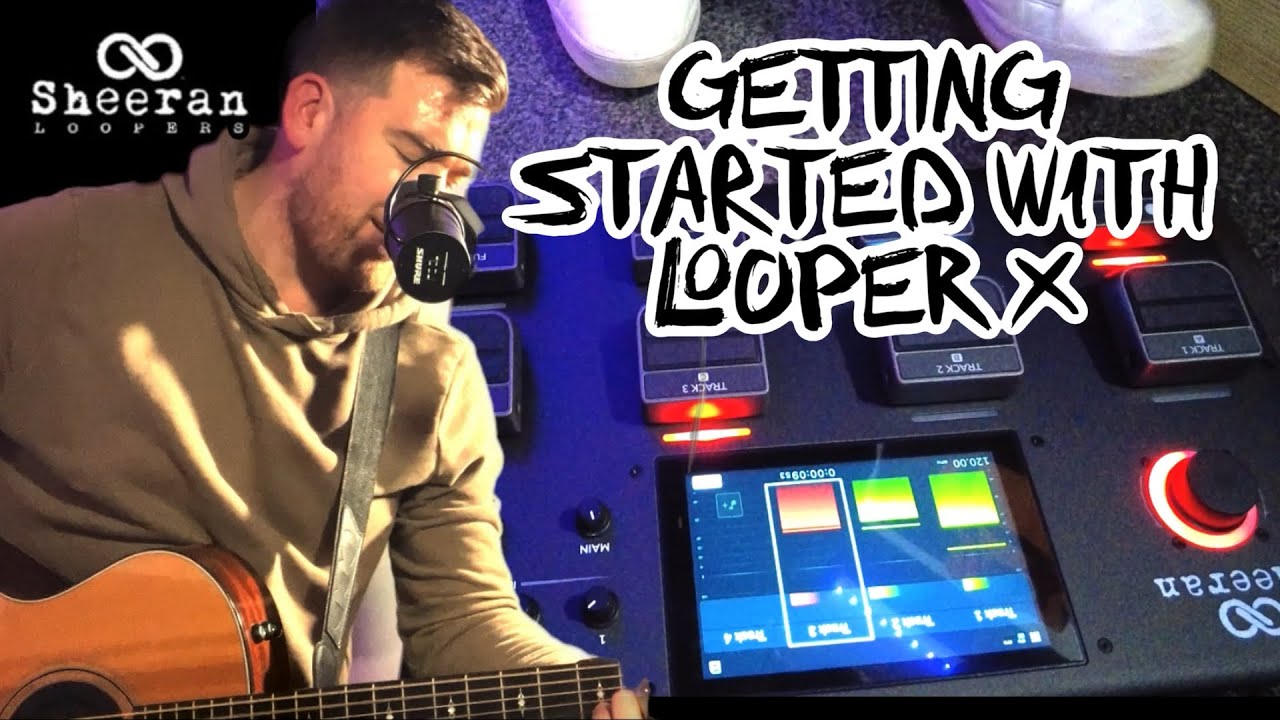
If you’ve just got your hands on a Looper X, this is where to start. I put together a getting-started walkthrough covering the basics — how the interface works, how to create your first loop, and the core concepts you need to understand before diving into more advanced setups. This has been one of my most-watched videos, and I think that says a lot about the demand for practical, real-world guidance rather than spec-sheet reviews.
My Looper X Settings & Global Configuration
Once you’re comfortable with the basics, the real power of the Looper X comes from dialling in your settings. I’ve spent a lot of time fine-tuning my loop settings and global configuration to suit the way I perform at weddings — where reliability and quick transitions between songs are everything. This video walks through exactly how I have mine set up and why each setting matters in a live context.
MIDI Control with the Morningstar MC8
One of the biggest upgrades to my Looper X workflow was adding the Morningstar MC8 MIDI controller. This lets me send MIDI messages to the Looper X for things like direct FX toggling, unmuting tracks, and start/stop all — functions that would otherwise require taps on the touchscreen mid-performance. For wedding gigs where everything needs to feel seamless, having physical foot switches for these critical functions is a game-changer. I also use the MC8 to trigger my lighting wirelessly via MIDI, so a single foot press can change the room’s mood while simultaneously affecting the loop.
Troubleshooting: Touchscreen Fix
No piece of gear is perfect, and after heavy gigging the touchscreen on my Looper X stopped responding. Rather than send it back and lose weeks of gigs, I opened it up and fixed it myself. This is the kind of thing that comes with being an early adopter who’s pushing the unit hard every weekend — and it’s exactly the sort of feedback I’ve been able to pass back to the development team. If you’re having touchscreen issues with your Looper X, this video walks through exactly what I did.
The Looper X in Action: Live Demos
The best way to understand what the Looper X can do is to hear it. Here are some of my live loop demos — from stripped-back acoustic covers to full club-classics mashups. Everything you hear is built live in real time, one layer at a time, using the Looper X at the centre of the rig.
Freedom 90 — George Michael
This has been my most popular Looper X demo by far. It shows how the unit handles a complex arrangement with multiple layers building into a full production — and it’s a regular in my wedding evening sets.
Sky Full of Stars — Coldplay
Another big one for weddings. The Looper X handles the build-up from a quiet acoustic intro to a full-energy anthem really well — the multi-track workflow means I can bring elements in and out cleanly.
Club Classics Mashup
Toca’s Miracle, Insomnia, Dreamer, and Freed From Desire — all built up live with the Looper X. This is a great example of how live looping translates to an evening wedding set when you want to get the dance floor going.
The Only Thing That Looks Good on Me
What It All Looks Like at a Wedding
All the tutorials and demos are useful — but what does it actually look like when the Looper X and the full rig come together at a real wedding? This clip shows exactly that: everything set up and running live, complete with the lighting, the looping, and the atmosphere it creates for guests.
If you want the full breakdown of every piece of gear you can see in that clip — the Taylor 314ce, the Voicelive 3 Extreme, the Roland HPD-20, the Midas MR12, the wireless systems, the Swan Flight pedalboard build and how it all connects — head over to my complete rig rundown and pedalboard build.
Get in Touch
If you’re a fellow musician or Looper X user with questions about settings, MIDI integration, the conversion tool, or anything else — drop me a message. I’m always happy to chat about the setup and share what I’ve learned from using it at hundreds of gigs. I’ve also built a free Looperboard-to-Looper X conversion tool if you’re making the switch.
And if you’re a couple who’s seen the Looper X in action and want that experience at your wedding, get in touch to chat about your plans. You can browse my entertainment packages or check out my all-day wedding entertainment page to see how everything comes together for your big day.
Comments are closed